



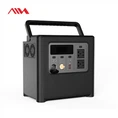
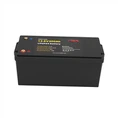

Hey there! As a supplier of the latest power bricks, I often get asked, "How do I know if the latest power brick is fully charged?" It's a great question, and I'm here to break it down for you.
Understanding the Basics of Power Bricks
First off, let's talk a bit about power bricks. These little gadgets are essential for charging up our devices, from smartphones to laptops. They convert the electrical current from your wall outlet into a form that your device can use. The latest power bricks come with advanced features like fast - charging capabilities, multiple ports, and better energy efficiency.
But how can you tell when they're fully charged? Well, it depends on a few factors.
Visual Indicators
Most modern power bricks come with visual indicators. These are usually small LED lights located on the power brick itself. When you plug in the power brick to charge a device, the LED might turn red, indicating that it's in the process of charging. As the charging progresses, the color might change. For example, it could turn orange when it's almost fully charged and green when it's completely charged.
Let's say you're using one of our high - end power bricks to charge a smartphone. You plug it in, and the red light comes on. As the phone's battery level increases, the light gradually shifts to orange. Once the phone is fully charged, the light turns green. This is a simple and straightforward way to know that the power brick has done its job.
Battery Level Readings on Devices
Another way to tell if the power brick has fully charged your device is by checking the battery level reading on the device itself. Most smartphones, tablets, and laptops have a built - in battery indicator. You can easily see the percentage of battery charge on the screen.
For instance, if you're charging a laptop with our power brick, open the battery settings on the laptop. If the battery level shows 100%, it's a good sign that the power brick has fully charged the device. However, keep in mind that sometimes, the device might stop drawing power from the power brick before it reaches 100% due to internal battery management systems.
Charging Time
If you know the charging time of your device, you can use it as a rough estimate. Different devices have different charging times based on their battery capacity and the power output of the power brick.
Let's assume you have a tablet with a 5000mAh battery, and our power brick has a charging rate of 2A. Using the formula (t=\frac{Q}{I}) (where (t) is time, (Q) is the battery capacity in amp - hours, and (I) is the charging current), you can calculate the approximate charging time. In this case, it would be around 2.5 hours. If you've charged the device for that amount of time and the battery level seems full, then the power brick has likely done its job.
Compatibility with Our Range of Products
At our company, we offer a wide range of power bricks that are compatible with various devices. We also have some great energy storage solutions, such as the LiFePO4 51.2V 100Ah 5Kwh Stackable Battery. These stackable batteries can be used in conjunction with our power bricks for more efficient energy management.
Our 51.2v 300ah Lifepo4 15KWh Solar ESS is another great option. It provides a large - scale energy storage solution for homes and small businesses. And if you need even more power, our Stackable 51.2v 400ah Lifepo4 20KWh Battery is a top - notch choice.
Advanced Monitoring Systems
Some of our latest power bricks come with advanced monitoring systems. These systems can be connected to your smartphone via Bluetooth or Wi - Fi. You can then use a dedicated app to monitor the charging process in real - time. The app will show you the charging status, the amount of energy transferred, and even predict when the device will be fully charged.
For example, if you're using our smart power brick to charge your tablet, you can open the app on your phone. It will display a detailed graph of the charging process, including the current battery level, the charging rate, and the estimated time remaining until full charge. Once the app shows that the charging is complete, you know that the power brick has done its work.
Safety Considerations
It's important to note that over - charging a device can be harmful to the battery. Our power bricks are designed with built - in safety features to prevent over - charging. Once the device is fully charged, the power brick will automatically stop supplying power.


However, it's still a good idea to unplug the power brick from the wall outlet and the device after it's fully charged. This not only saves energy but also extends the lifespan of the power brick and the device's battery.
Contact for Procurement
If you're interested in purchasing our latest power bricks or any of our energy storage solutions like the stackable batteries, we'd love to hear from you. Whether you're a business looking to power multiple devices or a homeowner in need of a reliable power source, we have the products to meet your needs. Reach out to us to start a procurement discussion and find the best solutions for your energy requirements.
References
- "Battery Charging Principles and Practices" by Battery University
- "Advanced Power Electronics for Portable Devices" by IEEE Press