


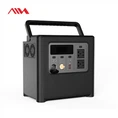
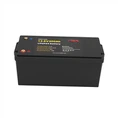

Hey there! As a UPS battery supplier, I've seen firsthand the importance of protecting these powerhouses from over - discharging. Over - discharging can significantly reduce the lifespan of a UPS battery and lead to costly replacements. So, in this blog, I'm gonna share some tips on how to keep your UPS battery in tip - top shape and avoid over - discharging.
Understanding Over - Discharging
First things first, let's talk about what over - discharging actually is. When a UPS battery is in use, it supplies power to connected devices. As it does so, its voltage gradually drops. Over - discharging occurs when the battery's voltage drops below a safe level. This can cause irreversible damage to the battery cells, reducing their capacity and overall performance.
The effects of over - discharging are pretty serious. It can lead to sulfation, where lead sulfate crystals form on the battery plates. These crystals can block the flow of electrons, making it harder for the battery to charge and discharge efficiently. Over time, this can cause the battery to fail completely.
Proper Sizing of the UPS
One of the most important steps in preventing over - discharging is to make sure you've got the right size UPS for your needs. If your UPS is too small for the load it's powering, it will have to work harder and drain the battery faster. This increases the risk of over - discharging.


To determine the right size UPS, you need to calculate the total power consumption of the devices you want to connect to it. You can usually find the power consumption (in watts) on the device's label or in the user manual. Add up the power consumption of all the devices, and then choose a UPS with a capacity that's at least 20 - 30% higher than this total. This extra capacity gives you a buffer and helps prevent the battery from being overworked.
For example, if your devices have a total power consumption of 400 watts, you should consider a UPS with a capacity of around 500 - 520 watts. This way, the UPS won't be running at full capacity all the time, and the battery will have a better chance of staying within a safe voltage range.
Regular Maintenance and Monitoring
Regular maintenance is key to protecting your UPS battery from over - discharging. You should perform routine checks on the battery to make sure it's in good condition. This includes checking the battery's voltage, electrolyte levels (for lead - acid batteries), and looking for any signs of physical damage like leaks or corrosion.
Monitoring the battery's state of charge is also crucial. Many modern UPS systems come with built - in monitoring features that allow you to track the battery's voltage, charge level, and other important parameters. You can use this information to determine when the battery needs to be charged and to identify any potential issues before they become serious.
If you don't have a UPS with built - in monitoring, you can use a battery monitor or a multimeter to check the battery's voltage manually. A fully charged lead - acid battery should have a voltage of around 12.6 - 12.8 volts. If the voltage drops below 11.8 volts, it's a sign that the battery is getting close to over - discharging.
Implementing a Battery Management System (BMS)
A Battery Management System (BMS) is a great tool for protecting your UPS battery from over - discharging. A BMS is an electronic system that monitors and controls the charging and discharging of the battery. It can prevent the battery from being over - charged or over - discharged by automatically disconnecting the battery when it reaches a certain voltage level.
There are different types of BMS available, ranging from simple, standalone units to more complex systems that can be integrated with your UPS. When choosing a BMS, make sure it's compatible with your battery type and the requirements of your UPS system.
Using a Generator as a Backup
In some cases, using a generator as a backup power source can help prevent over - discharging of your UPS battery. If you expect a long - term power outage, a generator can provide continuous power to your devices, reducing the load on the UPS battery.
We offer some great options for generators, like the 600W Portable Generator For Outdoor Camping and the 500W Portable Generator For Outdoor Camping. These generators are not only suitable for outdoor use but can also be used as a reliable backup for your UPS system during power outages.
Before using a generator, make sure it's properly sized for your needs and that it's connected to your UPS system correctly. You should also follow all the safety instructions provided by the generator manufacturer.
Solar Power as an Alternative Charging Source
Another option to protect your UPS battery from over - discharging is to use solar power. Solar panels can convert sunlight into electricity, which can be used to charge your UPS battery. This is a clean and renewable energy source that can help reduce your reliance on the grid and keep your battery charged during power outages.
Our 600W Solar Portable Power Station is a great choice for those looking to use solar power to charge their UPS batteries. It's portable and easy to set up, making it suitable for both indoor and outdoor use.
Training and Education
Finally, it's important to educate the users of your UPS system about the importance of protecting the battery from over - discharging. Make sure they understand how to properly use the UPS, how to recognize the signs of over - discharging, and what steps to take if an issue arises.
You can provide training materials, such as user manuals and online resources, to help users learn about UPS battery maintenance and safety. By empowering your users with knowledge, you can reduce the risk of over - discharging and extend the lifespan of your UPS battery.
Conclusion
Protecting a UPS battery from over - discharging is essential for ensuring its long - term performance and reliability. By following these tips, including proper sizing, regular maintenance, using a BMS, and considering alternative power sources like generators and solar power, you can keep your UPS battery in great shape.
If you're in the market for a UPS battery or need more information on how to protect your existing battery, don't hesitate to reach out. We're here to help you find the right solutions for your power needs. Whether you're a small business owner or a homeowner, we've got the expertise and products to keep your devices powered and your battery protected.
References
- Battery University: A comprehensive resource for battery information and best practices.
- UPS Manufacturer Manuals: Provide detailed information on the specific UPS models and their battery requirements.