


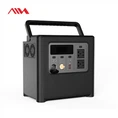
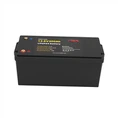

As a reliable 12V battery supplier, I understand that replacing a 12V battery in a device can seem like a daunting task for many. However, with the right guidance and a bit of knowledge, it can be a straightforward process. In this blog post, I'll walk you through the steps to replace a 12V battery in various devices, and also introduce some of our high - quality 12V battery products that might be a great fit for your replacement needs.
Understanding the Basics of 12V Batteries
Before we dive into the replacement process, it's essential to understand what a 12V battery is. A 12V battery is a common power source used in a wide range of devices, from small electronic gadgets to larger vehicles and solar power systems. The "12V" refers to the battery's voltage, which is a measure of the electrical potential difference. Different types of 12V batteries exist, including lead - acid, lithium - ion (such as LiFePO4), and nickel - metal hydride.
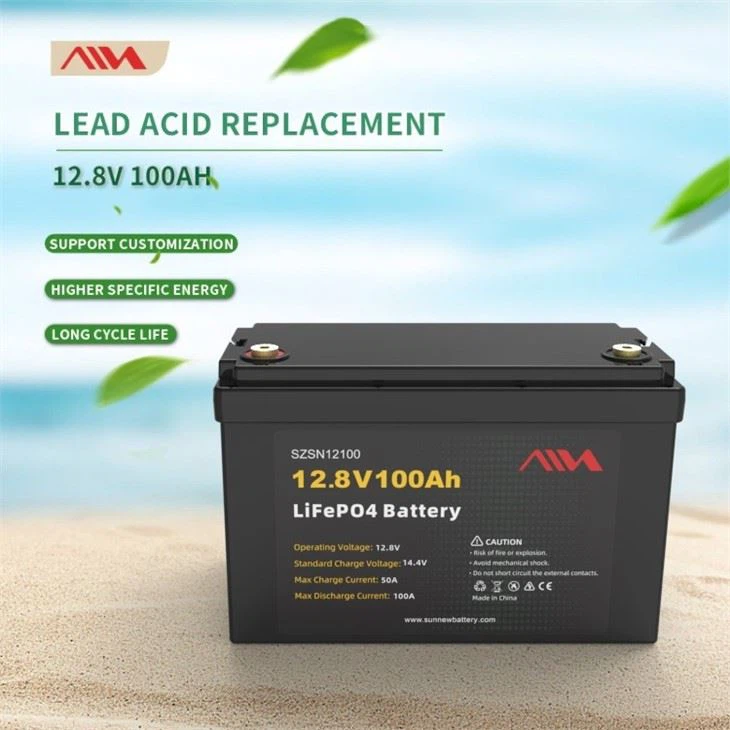
LiFePO4 batteries, in particular, have gained popularity in recent years due to their numerous advantages. They are lightweight, have a longer lifespan, offer higher energy density, and are more environmentally friendly compared to traditional lead - acid batteries. For example, our Deep Cycle 12v 100ah Lifepo4 RV Battery Pack is specifically designed for recreational vehicles, providing a stable and long - lasting power supply.
Tools and Materials Needed
To replace a 12V battery, you'll need the following tools and materials:
- A new 12V battery: Make sure to choose a battery with the correct voltage, capacity, and size for your device. Our 12v 150ah Lifepo4 Solar Battery is an excellent choice for solar power systems, while the Lifepo4 BMS Lithium Battery Pack 12v 50ah is suitable for smaller devices.
- Safety gloves and goggles: These will protect you from any potential acid spills or electrical shocks.
- Wrenches or screwdrivers: Depending on how the battery is secured in your device, you may need different types of wrenches or screwdrivers to remove the battery terminals and the battery holder.
- A clean cloth: To wipe away any dirt or corrosion from the battery terminals.
Step - by - Step Replacement Process
Step 1: Safety First
Before you start working on replacing the battery, ensure that the device is turned off and unplugged from any power source. Put on your safety gloves and goggles to protect yourself from potential hazards.
Step 2: Locate the Battery
Open the device's battery compartment. In some cases, the battery may be easily accessible, while in others, you may need to remove a cover or a panel. Refer to the device's user manual if you're having trouble finding the battery.
Step 3: Disconnect the Battery Terminals
Most 12V batteries have two terminals: a positive (+) terminal and a negative (-) terminal. The positive terminal is usually marked with a red cover or a plus sign, while the negative terminal is marked with a black cover or a minus sign.
Using a wrench or a screwdriver, loosen the nuts or screws that hold the battery cables to the terminals. Start by disconnecting the negative terminal first, as this reduces the risk of electrical short - circuits. Once the negative terminal is disconnected, carefully remove the cable from the terminal. Repeat the process for the positive terminal.

Step 4: Remove the Old Battery
After disconnecting the terminals, carefully lift the old battery out of the battery compartment. Be aware that some batteries may be heavy, especially larger ones. If the battery is held in place by a bracket or a strap, use the appropriate tool to remove it.
Step 5: Clean the Battery Compartment
Use a clean cloth to wipe away any dirt, dust, or corrosion from the battery compartment and the battery terminals. Corrosion can prevent the new battery from making a good electrical connection, so it's important to clean these areas thoroughly.
Step 6: Install the New Battery
Place the new battery in the battery compartment, making sure it fits properly. If there are any alignment guides or markings in the compartment, use them to ensure the battery is positioned correctly.
Step 7: Reconnect the Battery Terminals
Reconnect the battery cables to the appropriate terminals. Start with the positive terminal first, and then connect the negative terminal. Tighten the nuts or screws on the terminals securely to ensure a good electrical connection.
Step 8: Test the Device
Once the battery is installed and the terminals are connected, turn on the device to check if it's working properly. If the device doesn't turn on, double - check the battery connections to make sure they are secure and that the battery is the correct type for the device.
Tips for a Successful Battery Replacement
- Read the device's manual: The device's user manual will provide specific instructions on how to replace the battery. It may also contain important information about the type of battery to use and any safety precautions.
- Handle the battery with care: Avoid dropping or shaking the battery, as this can damage it. Also, be careful not to touch the battery terminals with your bare hands, as this can cause corrosion.
- Dispose of the old battery properly: Old batteries can be harmful to the environment if not disposed of correctly. Check with your local recycling center or battery retailer for proper disposal methods.
Why Choose Our 12V Batteries
As a 12V battery supplier, we take pride in offering high - quality batteries that are designed to meet the needs of our customers. Our LiFePO4 batteries, such as the ones mentioned above, are built with advanced technology and high - quality materials. They are reliable, efficient, and have a long lifespan, making them a cost - effective choice in the long run.
If you're in the market for a new 12V battery for your device, we encourage you to explore our product range. Our team of experts is also available to assist you in choosing the right battery for your specific needs. Whether you're looking for a battery for your RV, solar power system, or a small electronic device, we have the solution for you.
Contact Us for Procurement
If you're interested in purchasing our 12V batteries or have any questions about our products, we invite you to contact us. We are always happy to engage in procurement discussions and provide you with detailed information about our products, pricing, and delivery options.
References
- Manufacturer's user manuals for various devices.
- Industry standards and guidelines for battery replacement and safety.