


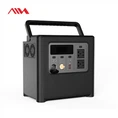
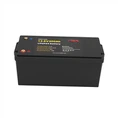

Hey there! As a supplier of Brick Batteries, I often get asked about how to connect these nifty power sources to different devices. In this blog post, I'm gonna walk you through the whole process, step by step.
First off, let's talk a bit about Brick Batteries. These are some of the most versatile and reliable energy storage solutions out there. Whether you're looking to power your home during a blackout, run some small appliances, or even use them in a solar energy setup, Brick Batteries have got you covered. We offer a range of products, like the Sunnew 15KWh 48V 300Ah Stackable LiFePO4 Battery Pack, Solar Home 15KWh Brick 51.2v 300ah Lifepo4 ESS, and Brick 30KWh Battery For Home ESS. Each of these has its own unique features and capabilities, but the basic connection process is pretty similar across the board.
Step 1: Safety First
Before you even think about connecting your Brick Battery to a device, safety should be your top priority. Make sure you're working in a well - ventilated area, away from any sources of heat or flames. Wear appropriate safety gear, like gloves and safety glasses. Also, double - check that the battery is fully charged and in good condition. If you notice any signs of damage, like cracks or leaks, don't use the battery. Instead, contact the manufacturer for guidance.
Step 2: Check the Device Requirements
Every device has its own power requirements, and it's crucial to match these with the output of your Brick Battery. Look at the device's user manual or the label on the device itself. You'll usually find information about the required voltage, current, and power. For example, if your device needs 12 volts to operate, you'll need to make sure your Brick Battery can provide that voltage. If the battery has a higher voltage, you might need a voltage regulator to step down the voltage to the appropriate level.
Step 3: Gather the Necessary Tools
You'll need a few tools to make the connection. These typically include a set of wrenches or screwdrivers, depending on the type of connectors on the battery and the device. You might also need some electrical tape to insulate the connections and prevent any short - circuits. Make sure the tools are clean and in good working condition.
Step 4: Identify the Battery Terminals
Brick Batteries usually have two terminals: a positive (+) terminal and a negative (-) terminal. The positive terminal is usually marked with a plus sign, and the negative terminal is marked with a minus sign. These terminals are where you'll connect the wires to transfer the power from the battery to the device.
Step 5: Prepare the Wires
Cut two pieces of wire to the appropriate length. The wire should be thick enough to handle the current that will flow between the battery and the device. You can use a wire gauge chart to determine the right wire size based on the current requirements. Strip about an inch of insulation from each end of the wires.


Step 6: Make the Connections
Now it's time to make the actual connections. First, connect one end of the positive wire to the positive terminal of the battery. Use a wrench or screwdriver to tighten the connection securely. Then, connect the other end of the positive wire to the positive input of the device. Repeat the process for the negative wire, connecting it to the negative terminal of the battery and the negative input of the device. Make sure all the connections are tight and there's no loose wiring.
Step 7: Insulate the Connections
Once the connections are made, use electrical tape to insulate them. Wrap the tape around the exposed metal parts of the connections to prevent any accidental contact and short - circuits. This will also help protect the connections from dust and moisture.
Step 8: Test the Connection
After insulating the connections, it's time to test if everything is working properly. Turn on the device and see if it powers up. If the device doesn't work, double - check all the connections to make sure they're secure and that the battery is providing the right voltage. If you're still having problems, it might be a good idea to consult an electrician or the device's manufacturer for further assistance.
Special Considerations for Different Devices
Solar Panels
If you're connecting a Brick Battery to solar panels, you'll need an inverter. The inverter converts the direct current (DC) power from the battery into alternating current (AC) power, which is what most household appliances use. Connect the solar panels to a charge controller first. The charge controller regulates the amount of power going from the solar panels to the battery, preventing over - charging. Then, connect the battery to the inverter, and finally, connect the inverter to your devices.
Home Appliances
When connecting a Brick Battery to home appliances, like a refrigerator or a TV, make sure the total power consumption of the appliances doesn't exceed the capacity of the battery. You can calculate the total power consumption by adding up the power ratings of all the appliances you want to connect. If you need to power multiple appliances, you might need to use a power strip or a distribution panel to manage the connections.
Electric Vehicles
Connecting a Brick Battery to an electric vehicle is a bit more complex. You'll need a special charging station that's compatible with the vehicle's battery management system. Make sure to follow the vehicle manufacturer's instructions carefully when making the connection. Also, be aware that electric vehicle charging requires a high amount of power, so make sure your Brick Battery can handle the load.
Conclusion
Connecting a Brick Battery to a device might seem a bit daunting at first, but if you follow these steps and take the necessary precautions, it's a relatively straightforward process. Whether you're using the battery for a small device or a large - scale energy storage system, it's important to ensure a safe and proper connection.
If you're interested in purchasing our Brick Batteries or have any questions about the connection process, don't hesitate to reach out. We're here to help you find the right battery solution for your needs and guide you through the installation process.
References
- General knowledge of battery technology and electrical connections
- User manuals of various devices and Brick Batteries