



Hey there! As a supplier of wireless chargers, I've seen my fair share of issues with these nifty devices not working as they should. It can be super frustrating when you're counting on your wireless charger to juice up your phone or other gadgets, but it just won't cooperate. So, in this blog post, I'm gonna walk you through some steps to troubleshoot a wireless charger that isn't working.
Step 1: Check the Basics
First things first, let's start with the simple stuff. Make sure your wireless charger is properly plugged in. Sounds obvious, right? But you'd be surprised how often this is the culprit. Sometimes, the power cord can get loose or the outlet might not be working. Try plugging the charger into a different outlet to see if that makes a difference.
Also, check the power adapter. If it's damaged or not providing enough power, the charger won't work correctly. Some wireless chargers come with a specific power adapter, so using a different one might not give you the best results.
Step 2: Examine the Charger and Device
Take a close look at your wireless charger. Are there any visible signs of damage, like cracks or frayed wires? If so, that could be the reason it's not working. In this case, you might need to replace the charger.
Next, check your device. Some cases can interfere with wireless charging. If your phone has a thick or metal case, it could block the charging signal. Try removing the case and see if the charger works. Also, make sure your device is compatible with wireless charging. Not all phones and tablets support this feature.
Step 3: Clean the Charger and Device
Dirt, dust, and debris can accumulate on the charging surface of the wireless charger and the back of your device. This can prevent a proper connection and affect the charging process. Use a soft, dry cloth to gently clean the charging area of both the charger and your device. Be careful not to scratch the surface.
Step 4: Adjust the Position
Sometimes, the position of your device on the charger matters. Wireless chargers have a specific charging area, and if your phone isn't placed correctly, it won't charge. Try moving your device around on the charger until you find the sweet spot. Some chargers have alignment guides or indicators to help you with this.
Step 5: Update Your Device
Software updates can sometimes fix issues with wireless charging. Check if there are any available updates for your phone or tablet. Go to the settings menu, look for the "Software Update" option, and follow the prompts to install any updates. This can resolve bugs or glitches that might be causing the charging problem.
Step 6: Check for Overheating
Overheating can cause wireless chargers to stop working. If your charger or device gets too hot during charging, it could trigger a safety mechanism that shuts off the charging. Make sure the charger is placed in a well-ventilated area and not covered by anything. Avoid using your device while it's charging, as this can also generate heat.


Step 7: Try a Different Device
If you have another device that supports wireless charging, try using it with the charger. This can help you determine if the problem is with the charger or your original device. If the other device charges fine, then the issue is likely with your first device. On the other hand, if the new device also doesn't charge, the charger might be faulty.
Step 8: Consider External Interference
External factors can sometimes interfere with wireless charging. For example, magnetic fields from other devices or metal objects near the charger can disrupt the charging signal. Keep your wireless charger away from things like speakers, magnets, and metal jewelry.
Step 9: Look for Manufacturer Support
If you've tried all the above steps and your wireless charger still isn't working, it might be time to reach out to the manufacturer. Most manufacturers offer support services, including troubleshooting guides and warranty claims. Check the manufacturer's website for more information on how to contact them.
Related Products
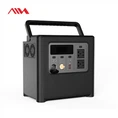
If you're into outdoor activities, you might also be interested in our portable power solutions. We offer a range of high-quality generators and power stations, such as the 800W Portable Generator For Outdoor Camping, 700W Portable Generator For Outdoor Camping, and 900W Solar Portable Power Station. These products are great for keeping your devices charged when you're off the grid.
Contact Us for Purchasing
If you're interested in our wireless chargers or any of our other products, we'd love to hear from you. Whether you're a retailer looking to stock our products or an individual in need of a reliable charging solution, we're here to help. Just reach out to us, and we can discuss your needs and work out a great deal.
References
- General knowledge from years of experience as a wireless charger supplier.
- Manufacturer guidelines and troubleshooting resources.