



Installing a UPS (Uninterruptible Power Supply) battery is a crucial step for ensuring continuous power to your essential devices during unexpected power outages. As a UPS battery supplier, I've witnessed firsthand the importance of a properly installed UPS battery in safeguarding equipment and maintaining productivity. In this blog post, I'll guide you through the process of installing a UPS battery, providing you with the knowledge and confidence to complete the task safely and effectively.
Understanding the Basics of UPS Batteries
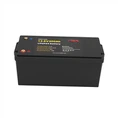
Before you begin the installation process, it's essential to understand the basics of UPS batteries. UPS batteries come in various types, including lead-acid, lithium-ion, and nickel-cadmium. Each type has its own advantages and disadvantages, so it's important to choose the one that best suits your needs.
Lead-acid batteries are the most common type of UPS battery and are known for their reliability and affordability. They are available in two main subtypes: flooded lead-acid (FLA) and valve-regulated lead-acid (VRLA). FLA batteries require regular maintenance, including checking the electrolyte levels and adding distilled water as needed. VRLA batteries, on the other hand, are maintenance-free and are sealed to prevent the escape of gases.
Lithium-ion batteries are becoming increasingly popular due to their high energy density, long lifespan, and low self-discharge rate. They are also lighter and more compact than lead-acid batteries, making them ideal for applications where space is limited. However, lithium-ion batteries are more expensive than lead-acid batteries and require a specialized charger.

Nickel-cadmium batteries are less common than lead-acid and lithium-ion batteries but are known for their high discharge rate and long lifespan. They are also more resistant to extreme temperatures than other types of batteries. However, nickel-cadmium batteries contain toxic cadmium, which can be harmful to the environment if not disposed of properly.
Preparing for Installation
Once you've chosen the right UPS battery for your needs, it's time to prepare for installation. Here are the steps you should take:
- Read the Manufacturer's Instructions: Before you begin the installation process, carefully read the manufacturer's instructions that came with your UPS battery. The instructions will provide you with important information about the installation process, including safety precautions, battery specifications, and wiring diagrams.
- Gather the Necessary Tools and Materials: You'll need a few tools and materials to install your UPS battery, including a screwdriver, pliers, wire cutters, and a voltmeter. You'll also need to have a clean, dry, and well-ventilated workspace.
- Turn Off the UPS and Disconnect the Power: Before you begin working on the UPS, turn it off and disconnect it from the power source. This will prevent any electrical shocks or damage to the UPS or battery.
- Remove the Old Battery (if applicable): If you're replacing an old battery, carefully remove it from the UPS. Make sure to follow the manufacturer's instructions for removing the battery, as some UPS models may require you to remove additional components or use a specific tool.
- Inspect the New Battery: Before you install the new battery, inspect it for any damage or defects. Make sure the battery is the correct size and type for your UPS and that it has not been damaged during shipping.
Installing the New Battery
Once you've prepared for installation, it's time to install the new battery. Here are the steps you should take:
- Connect the Battery Cables: Carefully connect the battery cables to the new battery. Make sure to connect the positive cable to the positive terminal of the battery and the negative cable to the negative terminal of the battery. Use a screwdriver or pliers to tighten the cable connections securely.
- Install the Battery in the UPS: Carefully place the new battery in the UPS. Make sure the battery is properly seated in the battery compartment and that it is not touching any other components or wires.
- Connect the Battery to the UPS: Once the battery is installed in the UPS, connect it to the UPS using the battery cables. Make sure to follow the manufacturer's instructions for connecting the battery, as some UPS models may require you to use a specific connector or wiring diagram.
- Test the UPS: After you've installed the new battery and connected it to the UPS, turn on the UPS and test it to make sure it's working properly. Use a voltmeter to check the voltage of the battery and make sure it's within the recommended range. You can also test the UPS by unplugging it from the power source and seeing if it continues to provide power to your devices.
Tips for Maintaining Your UPS Battery
Once you've installed your UPS battery, it's important to maintain it properly to ensure its longevity and performance. Here are some tips for maintaining your UPS battery:
- Keep the Battery Clean and Dry: Make sure the battery is kept clean and dry at all times. Avoid exposing the battery to moisture, dust, or other contaminants, as this can damage the battery and reduce its lifespan.
- Charge the Battery Regularly: To keep your UPS battery in good condition, it's important to charge it regularly. Most UPS batteries should be charged at least once every three months, even if they are not being used.
- Avoid Overcharging or Discharging the Battery: Overcharging or discharging the battery can damage it and reduce its lifespan. Make sure to follow the manufacturer's instructions for charging and discharging the battery, and avoid leaving the battery in a discharged state for an extended period of time.
- Replace the Battery When Necessary: Over time, the performance of your UPS battery will degrade, and it will need to be replaced. Most UPS batteries have a lifespan of 3-5 years, but this can vary depending on the type of battery, usage, and environmental conditions.
Conclusion
Installing a UPS battery is a relatively simple process that can be completed by anyone with basic electrical knowledge and the right tools. By following the steps outlined in this blog post, you can install your UPS battery safely and effectively, ensuring continuous power to your essential devices during unexpected power outages.
As a UPS battery supplier, we offer a wide range of high-quality UPS batteries to meet your needs. Whether you're looking for a lead-acid, lithium-ion, or nickel-cadmium battery, we have the expertise and experience to help you choose the right battery for your application. We also offer installation services and technical support to ensure that your UPS battery is installed and maintained properly.
If you're interested in purchasing a UPS battery or have any questions about the installation process, please don't hesitate to contact us. We'd be happy to help you find the right battery for your needs and provide you with the support and guidance you need to install and maintain it properly.
Additional Product Recommendations
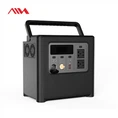
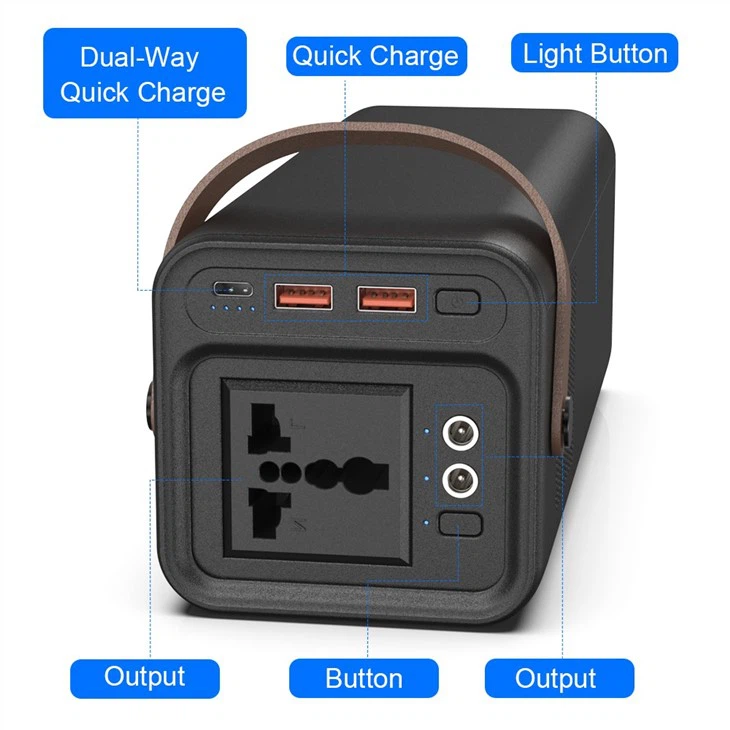
In addition to UPS batteries, we also offer a range of portable power solutions to meet your needs. Check out our Outdoor 200W 110V 220V Ac Qc3.0 Fast Charge Emergency Multi-Function Portable Lithium Power Station, 700W Portable Generator For Outdoor Camping, and 800W Solar Portable Power Station for reliable power on the go.
References
- Manufacturer's instructions for UPS battery
- Electrical safety guidelines
- Battery maintenance best practices